
How to export a ChatGPT conversation to Notion
You have five options: copy and paste a reply, download your whole ChatGPT history as a ZIP, use a browser extension, connect Notion's own MCP, or use NoteitHub's ChatGPT app, which files a summary of the conversation as a new page in one of your Notion databases after you preview it.
By the NoteitHub team · Published
What’s the quickest way to get one ChatGPT answer into Notion?
Copy it and paste it. Each ChatGPT reply has a copy button, and pasting into a Notion page keeps the text. It’s fine for one answer; for a whole conversation you’d paste every turn by hand, and the page won’t show which parts you wrote and which ChatGPT did.
Can I export my whole ChatGPT history to Notion?
You can export it, but not one conversation at a time. ChatGPT’s data export (Settings → Data controls → Export data) emails you a ZIP of your entire history. That’s a backup, not a Notion page: you’d still have to find the conversation you want and convert it before it’s useful in Notion.
Do browser extensions export ChatGPT chats to Notion?
Yes. Several Chrome extensions read the conversation open in your browser and save it as a page in a Notion database. They copy the transcript, which is what you want for an archive. They also read your chats, so check each extension’s permissions and privacy policy before connecting your Notion workspace.
Can ChatGPT write to Notion on its own?
Through Notion’s own connection, yes. Notion’s MCP lets AI assistants such as ChatGPT read and write your Notion pages, and Notion lists it for ChatGPT Pro. ChatGPT then decides what to write, so you get whatever it produces in the conversation, written where you tell it to.
Source: Notion’s help page on Notion MCP, read November 2026. Which ChatGPT plans can use it may change, so check that page before you rely on it.
How do I save a ChatGPT conversation to Notion with NoteitHub?
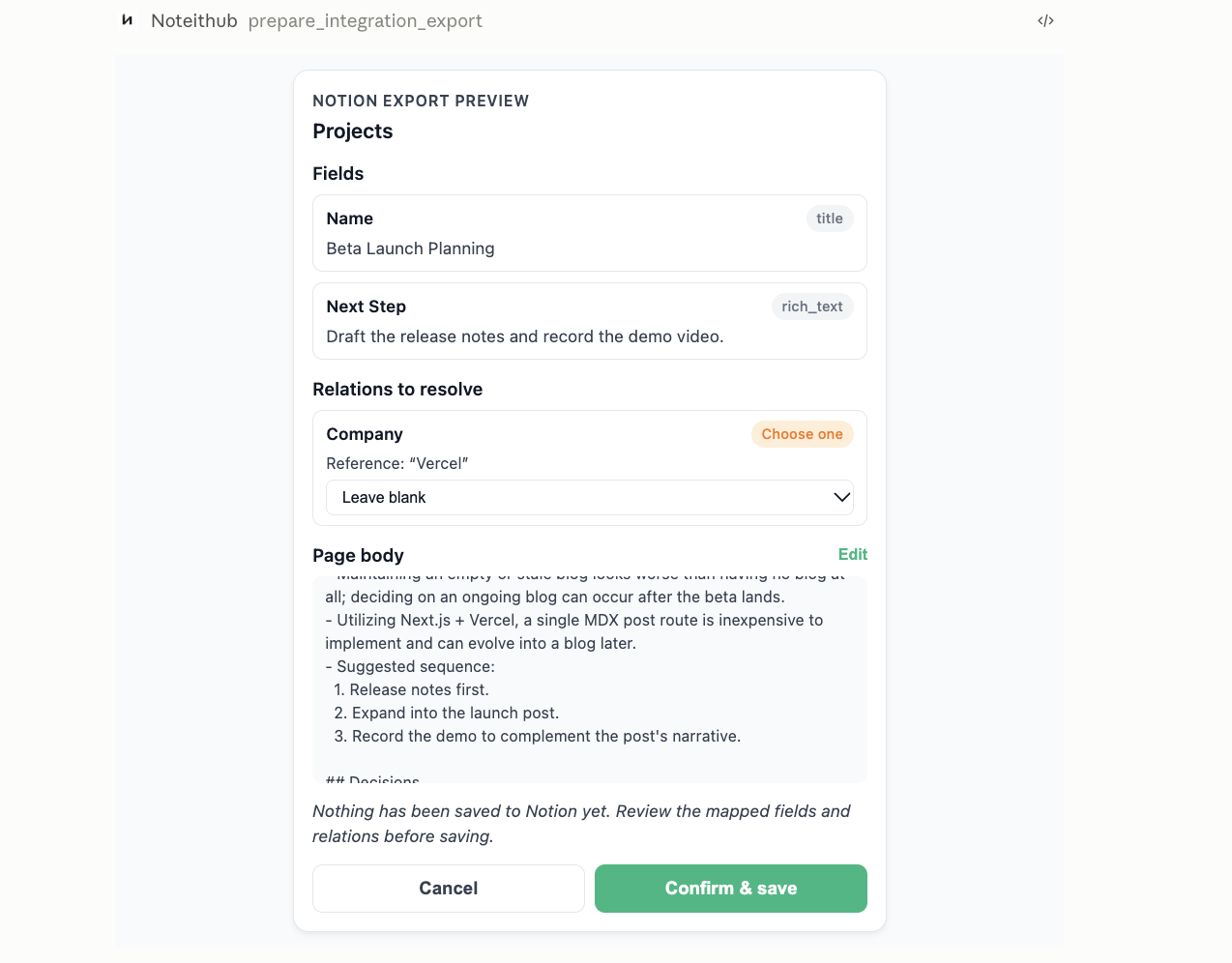
Connect Notion once in your NoteitHub dashboard, then say “save this to Notion” in a ChatGPT conversation that uses the NoteitHub app. NoteitHub shows a preview of the Notion page first, and nothing is written until you press Confirm & save. The Notion export is part of NoteitHub Pro.
- 1) Connect Notion. In the NoteitHub dashboard, open Integrations and choose Connect Notion. Notion asks which pages and databases to share; share the databases you want conversations filed into.
- 2) Ask in ChatGPT. In a conversation with the NoteitHub app, say “save this to Notion” or “add this to my Notion database”.
- 3) Check the preview. NoteitHub picks the shared database that fits best and shows it at the top, with the fields it will fill, any links to other Notion pages for you to choose, and the page body, which you can edit.
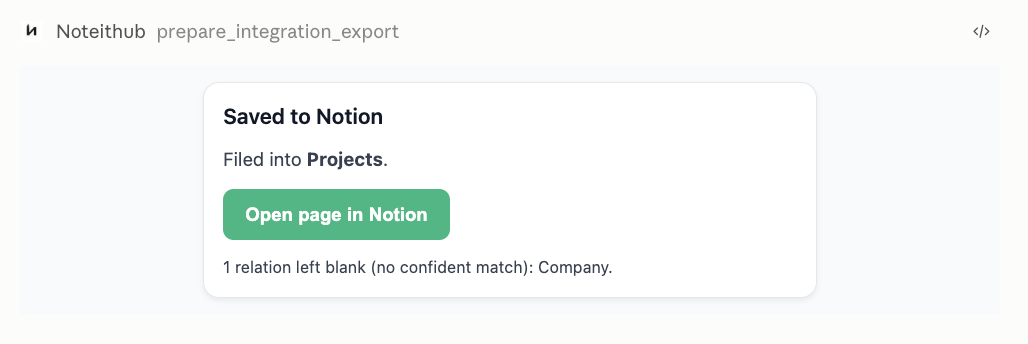
- 4) Confirm & save. The page is created in that database and you get a link to open it in Notion.
It costs 6 credits per preview, out of 300 a month on Pro; saving is free. A preview stays valid for 30 minutes. Every export you’ve made is listed under Export history in the same Integrations view.
What does NoteitHub put in the Notion page?
A summary, not the transcript. NoteitHub turns the conversation into a title, summary, key points, decisions, open questions and action items, writes them as the page body, and fills the database’s matching properties. Anything it inferred rather than read in the conversation goes under a “To verify” heading.
Each export creates a new page; it never edits or replaces one you saved before. That makes it the right tool for filing the outcome of a conversation — a decision, a plan, a research summary — into a database you already keep, such as Projects or Meeting notes. If you want the full back-and-forth, use an extension instead. For keeping conversations searchable inside NoteitHub itself, see how to save ChatGPT conversations.
Which way of exporting should I use?
It depends on whether you want the conversation itself or what came out of it.
| Method | What ends up in Notion | Best for |
|---|---|---|
| Copy and paste | The text you copied | One answer |
| ChatGPT data export | Nothing directly; a ZIP of all your chats | A full backup |
| Browser extension | The transcript, as a database page | Archiving whole conversations |
| Notion MCP in ChatGPT | Whatever ChatGPT writes | Editing Notion from a chat |
| NoteitHub | A structured summary, previewed, in a database you choose to share | Filing decisions and plans |
Weighing whether to keep your notes in ChatGPT or Notion in the first place? See ChatGPT vs Notion for knowledge management.
About this page
Written by the NoteitHub team, who build the NoteitHub ChatGPT app, so read the NoteitHub parts as the maker’s description. The NoteitHub details come from the product itself; the Notion MCP details from Notion’s help center, read in November 2026. This page was drafted with AI assistance and checked by the team before publishing.